Maling List manager
|
---------------------------
Written by: Cynthia
--------------------------
After some troubles to install a mailing list CGI script we decided to search the
internet for a ready to use program for our mailing list.
On the internet we found a great piece of Freeware (= software that you can use for free) to maintenance our mailing list.
It's easy to use and best of all it's free!
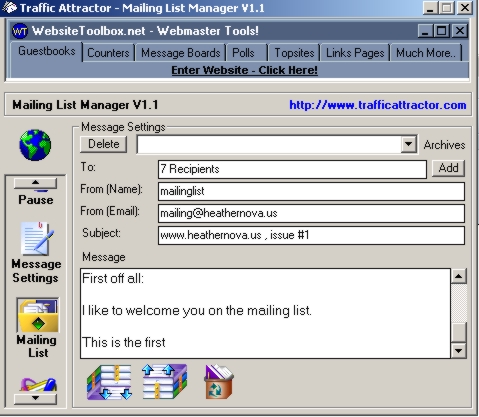
With this program you can add new members to the list, remove them, change your mail setting etc.
|
|
|
It's so easy
|
After
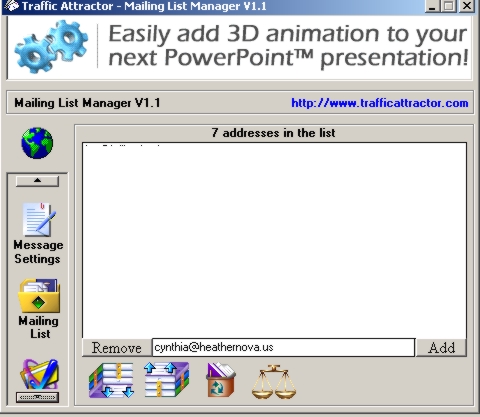
you install the program, you can start right away by adding your
members to the mailing list that you want to handle. It’s so easy that
even a child can do.
Once you have add that email addresses in the list, you can configuring the server settings
|
|
|
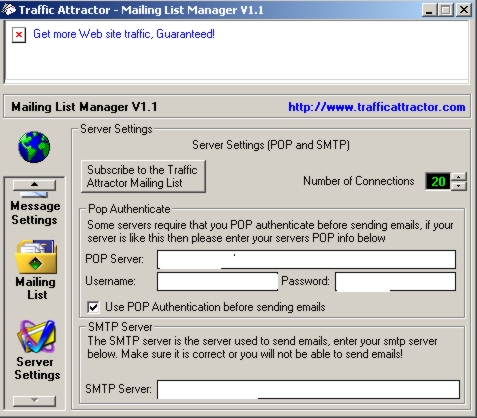
Configuring the settings is straight forward
|
That sounds difficult but it's not.
All
you have to do is to fill in your pop-server (that you have from your
internet provider), username, password and the SMTP (Simple Mail
Transport Protocol) server.
Example:
If you've got an internet account with wanadoo in the Netherlands, you can fill in the following information:
Pop server : pop.wanadoo.nl
Username : your@wanadoo.nl Password : Myexample1
SMTP server : smtp.wanadoo.nl
Tha'ts it, just straight forward like I told you.
After that you can write your message, save it, send it etc.
It's so simple that even a nine year old kid could figure out.
To download the program, you have to go to : http://www.trafficattractor.com/
Please note that the given username and password in the example is pure fiction.
|
|
|